Hotmail account
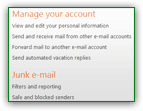 Once of have signed up and created a new Hotmail email address, a profile and Hotmail account have automatically been created for you. Your Hotmail account holds all the personal information you shared during the signup process, as well as your preferences (options and settings you tweaked over time). This tutorial explains the various information and settings contained in your Hotmail account, how to access them, and how to customize account settings: since this represents an overview of a typical Hotmail account, we link in each section to more detailed tutorials, as appropriate. Feel free to bookmark this tutorial, and come back to it whenever you have time to learn more about various aspects of your Hotmail account and profile. Access your account | Profile Information | Password Reset Information | Conclusion
Information presented in this tutorial assumes that you have an active Hotmail account (you need to regularly login to Hotmail, otherwise your email account will be automatically disconnected after a while). If needed, see how easily you can create a Hotmail account.
Access your Hotmail account
Many Hotmail account settings can be accessed from the Options menu, but more directly, notice that your profile name, next to your profile icon in the top right corner of the screen, displays a downward pointing arrow, indicating the presence of a menu. Click on this arrow, and choose "Account"; to protect your Hotmail account from unauthorized changes, you may be asked to supply your password: enter it to access your account.
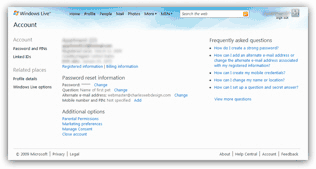 Windows Live Hotmail's Account screen will load, with links to all your account and profile settings: while the column on the right contains helpful account-related links, the left column is dedicated to your account information. The Hotmail account portion of the screen is divided into three sections: the first contains your registration date (this information is not editable, and indicate the date at which you signed up for this particular Hotmail account - if you have multiple Hotmail accounts, each will have its own registration date); the country in which you are registered, your birth date, as indicated during signup, as well as two links:
Hotmail account registered information
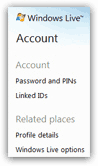 Clicking the Registered information link will load the screen from which you can customize your account profile's detailed information, such as date of birth, display name, gender, location, etc.
This Hotmail account information is important for two reasons: first, some of it is or can be seen by others - so you want to make sure that you are not entering your last name unless you want it visible by all (note that the registered information used by your Hotmail account for email purposes is different from your billing information (discussed below), which has to be accurate for billing and legal reasons.
But What your Hotmail account has as registered information is important for another reason: should you ever have to change / reset your password, or retrieve the password you forgot, your Hotmail account registered information is what the system will use to identify you. In other words, if you make up information for your Hotmail account, make sure you remember it in case you need to confirm that you are the rightful account owner.
Hotmail account billing information
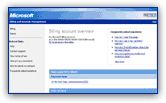 The Billing information link will redirect you to Microsoft's main website, where you can update your account payment information - this is automatically integrated to your Hotmail account once you sign up for the Hotmail Plus service - while a basic Hotmail account is free, Hotmail Plus allocates more storage, lets you send larger attachments, to more people, and perhaps most important of all, removes the ads (or rather, hides the ads as long as your Hotmail Plus subscription is and remains active). Shown on the screenshot is the Hotmail account billing information for Hotmail Plus subscribers: this is where you can change your credit card information, update your subscription, etc. Hosted on Microsoft's website, this account page deals exclusively with the financial side of your Hotmail account.
Hotmail account Password Reset Information
The Password Reset Information portion of your Hotmail account lets you customize both your password, and the information that allows you to retrieve that password in case you lost it: 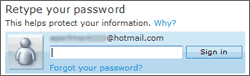 this includes a "secret question", and an alternate email address. If you forget your Hotmail account password, you will be given to choices to retrieve and reset that password: either confirm your location and answer your Hotmail account's secret question, or have the password sent to the alternate email account you supplied when you first signed up. That section also contains the "Mobile number and PIN" settings that allow you to check your Hotmail account from a cell phone (mobile phone).
"Additional Options" for your Hotmail account
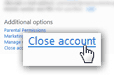 Under the Additional Options section of your Hotmail account, you have access to several, less-common, account management actions, for example: configuring parental permissions (see Hotmail Kids for more information), your marketing preferences (the types of email newsletters and promotions you may want to receive), your account's privacy settings (the Manage Consent link), and finally the Close account link that permanently closes, or deletes, your Hotmail account (how to permanently delete your Hotmail account).
Conclusion of our Hotmail account overview
This concludes our Hotmail account tutorial: we gave you an overview of the type of information stored in your Windows Live profile, how to change it, and linked to other tutorials that treat separate topics related to your Hotmail account management in more depth than this global overview did. While Hotmail will regularly try to protect access to your data by asking for your password, and protecting your privacy when you are about to change certain settings, keep in mind that you should always log out of your Hotmail account if you are connecting to it from a public place, or from a place where several people have access to the computer you are using (e.g. at work, perhaps).
Make sure that your display name gives as little information as you are willing to give out, since both your email address and some emails you send to third parties may sometimes be republished online (how to change your Hotmail name). When using emails, imagine that anyone may get a hold of what you write; while your Hotmail account is safer than that, take some precautions with the information you elect to share, etc.