Download Outlook 2007 as a Free Trial
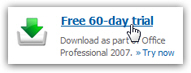 You do not need to purchase Outlook 2007 to evaluate it: before you decide using it instead of Outlook Express, Windows Mail, or Windows Live Mail, you can download a free copy of Outlook 2007 from Microsoft's website. This fully-functional trial version will give you two months (60 days) of unlimited use, as if you owned the full version. At the end of the trial period, you will have to either purchase and activate the product (which can be done online, or using a serial number from a retail box or "OEM" CD you purchased), or uninstall it (you can of course leave Outlook 2007 installed on your computer, but it will be just taking space, since you can no longer use it beyond the free 60-day trial).
Will Outlook 2007 run on my computer? Before you download and install it, double-check the Office 2007 system requirements to make sure you have everything you need!
Download Outlook 2007 for free
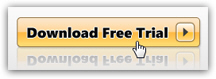 To get your free copy of Outlook 2007 for 60-days, just go to the official Outlook homepage. Microsoft regularly updates their website, so the information below may change slightly: near the top of the page, you should see a "Free 60-day trial" link (see first screenshot in this tutorial), or some link worded equivalently, like "Download Outlook 2007 for free", or "Free evaluation download", etc. Click on that link, and you will be redirected to a landing page containing another "Download Free Trial" link (with other free trials advertised on the same page).
Make sure that you do not accidentally download Outlook Connector, which is also featured from the Outlook 2007 homepage; the Outlook connector is a free add-on that allows you to check your Hotmail account from Outlook 2003 and Outlook 2007.
Probably as a marketing strategy, Microsoft does not let you download Outlook 2007 alone, and you will have to download and install the full Office 2007 Professional product, which also includes Access, Excel, Publisher, PowerPoint, and Word. In addition, it includes "Outlook Business Contact Manager", an extension of sorts to Outlook 2007 which brings some "CRM" software functionality to Outlook. (CRM = "Customer Relationship Management", a fancy name for a piece of software that allows you to manage customer accounts.)
Download Outlook 2007 in your language
A second landing page will load, allowing you to choose your language: select it, and click on the Download Now button. (Don't get your hopes up, there is yet another step.)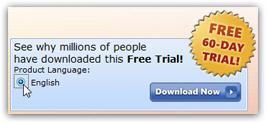
Product key (serial number) for your free Outlook 2007 trial
The next screen is the most important, because it includes both the final download link, and your serial number ("product key"). In order to try Outlook 2007 for free, you will need to supply a valid product key, so make sure to copy the serial number and paste it somewhere safe (or print this download page). The product key will be requested during the installation process, or the first time you run your free Outlook 2007 trial.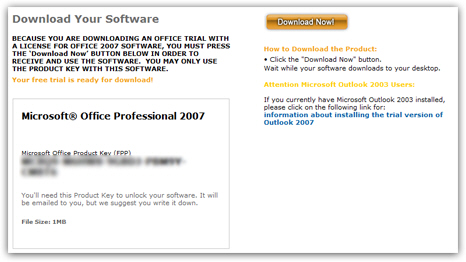
If needed, you will be asked to supply your Windows Live ID (your Hotmail login works as Windows Live ID).
 You are now finally ready to download your Outlook trial: click on the Download Now! button. Depending on which web browser you are using, the wording will vary, but you will be given the choice between saving the file or opening it: choose to Run the file. This very tiny download is not your Outlook 2007 trial itself, but rather an downloader, which will take care downloading the actual Office 2007 installer package. You will end up seeing the "Microsoft Download Manager" (screenshot below) - choose the folder in which you want to download your free trial (keeping the default is fine), and click Next.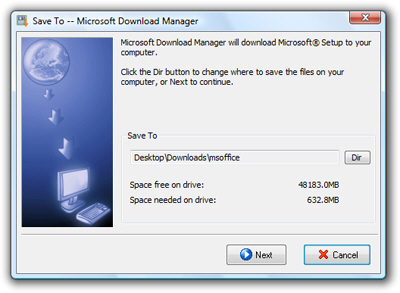
Follow the steps outlined beyond this point. Once the download is complete, you will be offered the choice to exit or launch the installer. Choose to install, and follow the Office 2007 installer's lead. At the end of the process, you will be asked to restart Windows.
The next time you restart your computer, Office 2007, including Outlook 2007, will be installed on your PC and ready to use. Use the Start Menu to launch Outlook: if you use the classic start menu, go to Start > Programs > Microsoft Office > Microsoft Office Outlook 2007 ("Microsoft Office Outlook 2007" is the official name of Outlook 2007!) If you are using the Windows Vista or Windows 7 Start Menu, simply click Start and type "Outlook 2007" - the shortcut to Outlook 2007 should be visible at the top of the start menu's results well before you are done typing the program name!