Store Init Failed - Engine Init() Failed
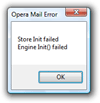 This tutorial quickly goes over the "Store Init Failed - Engine Init() Failed" error message you might know if you have used Opera for a certain time. Whenever you receive this message, Opera Mail will be unusable.
While we only experienced the problem on Windows XP and Vista, you could run across it on other Windows versions and other operating systems; it seems to have more to do with Opera than the underlying OS.
Update — Opera 9.5: without Store Init Failed ↓
Replicable Error Message Conditions
In our experience, Opera Mail fails to start (even if Opera itself runs fine), in two cases; in either, you will not be able to send or receive emails until the problem is fixed. 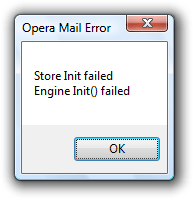 You will know in advance that the problem arose: the cryptic error message shown above will pop up when Opera loads. Opera Mail's store engine failed to initialize properly.
Fixing the Problem (Shown on Windows)
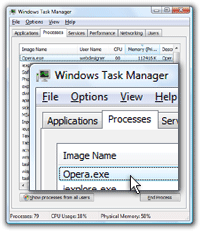 Restarting Opera will fix the problem in most cases: you need to give Opera enough time to shut down before restarting it. If Opera is restarted while still running as background process, it means that Opera is "hanged" (i.e. that the Windows process is frozen), or that Opera has not yet completely shut down.
If, after 20 seconds or so, the Opera.exe process is still visible after you exited Opera, manually kill the process by clicking the End Process button.
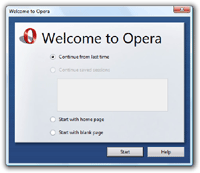
Next time Opera starts, you should be greeted by the start manager ("Welcome to Opera"), which will by default restore your last browsing session.
Ctrl+Shift+Esc Start Windows' Task Manager
 Opera Mail should now work flawlessly.
In our experience, this problem happens mostly when Opera is restarted to shortly have its last exit; in such cases, no need to go through the Windows Task Manager.
While the problem is only occasional, it can be frustrating, since Opera's error message offers little help. Feel free to share this tutorial: by to the number of search results for "Store Init failed", many Opera users have come across it.
Opera 9.5 does away with Store Init Failed
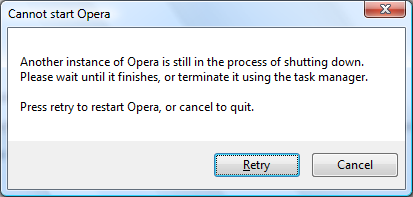
In Opera version 9.5 and later, you will no longer get the "Store Init Failed - Engine Init() Failed" message; instead, you'll be presented with the following error message and choice: "Another instance of Opera is still in the process of shutting down", with a "Retry" button.