Opera Mail Tutorial
 Opera Mail (or "M2") is the email client bundled in the Opera suite of Internet tools, (also including a feature-packed web browser, newsgroup and RSS reader, as well as an IRC chat client — all built right in.)
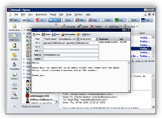 Opera Mail contains all the functionality you can expect from a modern email client. But it is likely to make you re-think the way you work with email.
Opera Mail is the first graphical email client to push full-throttle the concept of virtual folders, perhaps made more famous by Google's now ubiquitous Gmail webmail service.
 Like the Mozilla Suite (which includes the SeaMonkey Mail email client), Opera Mail is designed to be used within the context of the Opera Suite, rather than as a standalone email program. A very decent email program by itself, M2 really shines when used with the Opera browser or RSS reader (forward feed items by pressing F!)
By the time you get acquainted with Opera Mail, you may well have become addicted to the entire suite's innovative features.
| Made By | Opera Software ASA |
|---|---|
| Price | Free (Bundled with the Opera Browser) |
| Software Type | Freeware (What is Freeware?) |
| Product Home Page | Opera.com/Products/Desktop/M2/ 
|
Download Opera Mail
 Opera Mail is bundled with the Opera Internet Suite.
Opera is free, and available for a surprising variety of platforms: Windows, MacOS, Linux (i386, PowerPC, Sparc), Solaris Sparc, QNX, OS/2, FreeBSD (i386), and BeOS.
Opera without Java is a tiny 4Mb download, and it includes Opera M2, the built-in email client.
Download Opera (all available platforms)
Once you have downloaded Opera, install it; the installer is self-explanatory, and the process depends on your platform (Windows, Mac, Linux…). We will next see you to help you setup an email account in Opera Mail.