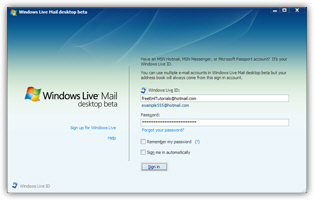
Install Windows Live Mail on Windows 7 / Windows Vista / Windows XP
In this free email tutorial, we will show you how to install the free Windows Live Mail email program on your computer. Windows Live Mail is available for Windows XP and Windows Vista users; it really is an upgrade to the email clients that ship with Windows: Outlook Express for Windows 98-XP, and Windows Mail for Windows Vista.
Downloading Windows Live Mail - If you have not yet downloaded your free copy of Windows Live Mail, please see the following tutorial: download Windows Live Mail. It is a free download, and the program itself is free to use (it is "freeware"). Once you have successfully downloaded the installer, you will be redirected from the other page to this tutorial to proceed with the installation explained in details.
Installing Windows Live Mail
The Windows Live Mail installer is quite intuitive; in some cases, you may be running the "Windows Live" installer, which lets you optionally pick other free software to install, such as Windows Live Writer or the Live toolbar. If available, take your picks. Follow the steps, agree to the email program terms, and Windows Live Mail will be ready to use in a few clicks.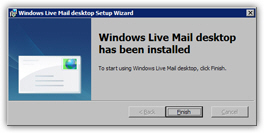
Running Windows Live Mail for the First Time
The first time you run Windows Live Mail, an email account setup screen will show up; to create email accounts in Windows Live Mail, please see how to create a standard POP3/IMAP email account in Windows Live Mail, or how to setup Hotmail in Windows Live Mail.