Import contacts in Windows Live Mail
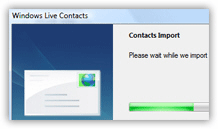 This free email tutorial explains how to import contacts in Windows Live Mail; if you are switching from Outlook Express, for example, you will be able to import all your contacts, rather than having to create your contacts all over again. Windows Live Mail lets you import contacts in several formats: Windows Address Book file (WAB), virtual business card (VCF file, or vCard), Microsoft Office Outlook address book, and CSV files (comma-separated values). Windows Live Mail can also import contacts from your current Windows profile (directly from your Windows address book.
 This flexible format support means that you can import contacts from the most popular email programs: Microsoft Outlook, Outlook Express, Windows Mail, Thunderbird, etc. You only need to export your contacts from the other email client in a compatible format, and then import them in Windows Live Mail.
Importing your contacts in Windows Live Mail
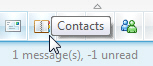 You import contacts in Windows Live Mail by going through the address book, "Windows Live Contacts". To open Windows Live Contacts, click the address book icon in the bottom left corner of Windows Live Mail's main window. Alternatively, you can quickly open it with the following keyboard shortcut:
Tip: press Ctrl+Shift+C to quickly open the Windows Live Contacts window.
Choose a contact import format
Once inside Windows Live Contacts, click the Show Menu button, and click Import: a submenu will expand, listing all the formats in which Windows Live Mail can import contacts. The format you choose will depend on the file or email program whose contacts you would like to import: most email clients can export their contacts as CSV files; so, in doubt, this is a good export format to choose.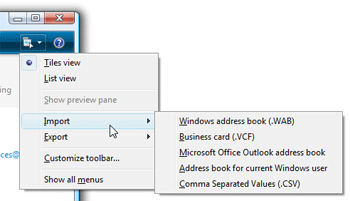
Importing contacts from Microsoft Outlook or the current Windows user's address book into Windows Live Mail is an automated process: click one of these two choices, and Windows Live Mail takes care of the rest, only notifying you in case of problem or successful import: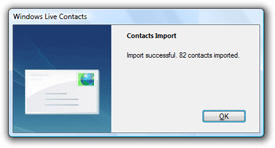
Importing file formats; CSV and contact mapping
If you are trying to import contacts from a file (WAB, VCF, or CSV), you will just need to pick the file for Windows Live Mail; in the case of CSV files, you will need to make sure that the contacts' "mapping" corresponds (it should by default). You can change the mapping, if needed, manually, to make sure each contact information column corresponds to the expected data: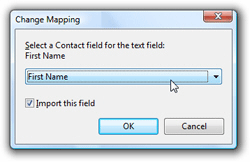
After the import process has completed, look at Windows Live Contacts: you should see all contacts from your other email program, or contact file, now listed. Windows Live Mail will now have access to all these contacts when you send emails, create contact groups, etc.