Backup / restore your contacts in Windows Live Mail
 This free email tutorial shows you how to backup your contacts or restore your contacts in Windows Live Mail. You should regularly backup your contacts so that you can easily restore them in case of serious computer crash or hard drive failure. If you have backed up your emails and contacts, it will be easy to restore them by importing them back into Windows Live Mail.
Backing up or restoring your contacts in Windows Live Mail
 Windows Live Mail does not come with a built-in backup tool; but, as we saw in the previous tutorials, you can export your contacts and import contacts into Windows Live Mail. To backup all your contacts, you need to follow the steps outlined in our export contacts tutorial. This will allow you to have a file containing all your contacts, which you can then store in a safe place - either using online backup software, or by backing up your contacts file onto an external storage device.
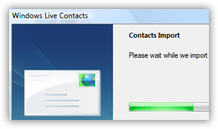 Likewise, the process of restoring your contacts in Windows Live Mail can be done as shown in our import contacts tutorial. You can import (or restore) all your contacts from a single file, in one of multiple formats. Of course, Windows Live Mail supports restoring/importing contacts in all formats supported for exporting your contacts (VCF files, or vCards, and CSV files).