Select multiple emails in Hotmail (several email messages at once)
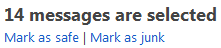 Just like in a regular email program, Windows Live Hotmail lets you select multiple emails at once - this allows you to save time and perform the same action on several email messages in one time, as opposed to doing it for every single email: this applies to moving multiple emails inside a same folder, reporting several junk mail messages (spam) in one go, or deleting multiple emails in a minimum number of clicks. This tutorial explains the multi-selection process.
Tip: to select all the emails inside your inbox or another email folder, just click once the checkbox at the very top of the email listing, on the left of the Sort by menu - no need to select one-by-one. If you have more emails than are displayed on the current screen, you may have to repeat the select-all operation several times: it only applies to email messages currently visible.
Select several email messages at the same time
Follow these simple steps to select several Hotmail emails at once:
- Open the email folder in which these emails are stored (your inbox, most probably)
- Notice that each email has a checkbox displayed next to it
- Click on the first email's checkbox (the first email you want to select in the group)
- Notice that Hotmail now no longer displays the content of that email in the Reading Pane - instead, it shows the current number of emails selected, and two possible actions ("Mark as safe", and "Mark as junk").
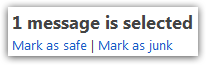
- Select a second email by clicking on its checkbox
- Hotmail will update the message, and now read "2 messages are selected"
- Keep going, until you have selected all the emails you wanted
- If you selected an email by accident, no problem: just click once more on that particular email's checkbox, and Hotmail will "unselect" it, or deselect it from the group.
- Once you finished selecting all emails, you can perform the action you wanted: this could be to "mark as safe" all these emails (click that link on the right or bottom, depending on your Reading Pane settings).
- On the contrary, if these emails were spam, you can report all selected emails as junk mail in one go by clicking on the "Mark as junk" link.
- You can also deleted all the selected emails at once by clicking on the "Delete" link: this will apply to all the emails you currently have selected, and move them all to the Deleted folder (recycle bin). If you delete a group of emails from the Deleted folder, they will be gone forever - these email messages cannot be recovered, in other words.
- You can of course also move the multiple emails you have selected inside another folder: just click on the Move menu, and choose the folder in which you want these emails to be moved. (Or drag the selected emails to another Hotmail folder.)
This is all it takes to select multiple emails in Windows Live Hotmail! This is quite a time saver, and allows you to perform an action once, and apply it on several email messages.