Windows Mail Tutorial
Introduction to Windows Mail
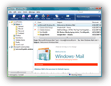 Outlook Express shipped bundled with all versions of Windows, from Windows 98 until XP. Starting with Windows Vista, the new email client bundled with Windows is Windows Mail. Windows Mail includes all the functionality you had with Outlook Express, but adds spam fighting and junk mail filtering capabilities Outlook Express never had. This first tutorial gives you a quick overview of Windows Mail… Windows 7 shipped without any email program (so most people used Windows Live Mail - a free application by Microsoft, also available to XP and Vista users), and Windows 8 will resume the tradition by shipping bundled with the "Windows 8 Mail" client.
Setting up email accounts
Windows Mail supports multiple types of email accounts; the following tutorials will show you how to setup regular IMAP or POP3 email accounts; we will also show you how to setup email accounts from popular webmail providers like Hotmail ("Windows Live Hotmail"), Yahoo! Mail, Gmail, and AOL Mail. But more broadly, any email service that support standard email protocols can be added in Windows Mail. Creating email accounts in Windows Mail will seem reassuringly familiar to anyone who has ever setup an email account in Outlook Express. Several Windows Mail setup options:
Unlike Microsoft Outlook, Windows Mail does not let you customize email accounts for exclusion from Send/receive commands, but you can customize how often it checks for emails, and work offline.
Windows Mail Download (for non-Vista PC's) and Integrated Help
Two frequent requests are the ability to download Windows Mail for XP or Windows Mail for Windows 7: since Windows Mail is a bundled email client, as opposed to a downloadable program, we will examine the options you have if you are not using Windows Vista in our Windows Mail download tutorial.
Since Windows Mail is designed to be bundled with the Windows Vista operating system, it fully integrates with Windows' built-in help system: Windows Mail help topics are quick and easy to access, right from within Windows Mail itself. This tutorial will show you how to leverage the integrated Windows Mail help system, and how to extend it with free online resources when needed.