Create an email signature in Opera Mail (M2)
Automatically appending a signature to all your outgoing emails is a great time saver, and the feature is easily customized in Opera Mail. Opera Mail also enables you to have one separate email signature for each email account.
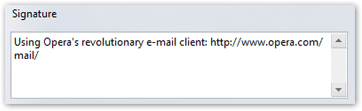
By default, each outgoing email in Opera Mail has the following signature: Using Opera's revolutionary e-mail client: http://www.opera.com/mail/While this is fine, you may want to change it, if only to include your name, job title, phone number, email address, or a quote from your favorite author.
Changing Your Email Signature in Opera Mail
Email signatures in Opera Mail are attached to a given email account; thus, configuring your signature is done from the corresponding email account's Properties.
To edit your signature in Opera Mail, go to Tools > Mail and chat accounts, and select the email account for which you want to modify or disable the email signature. Click Edit. 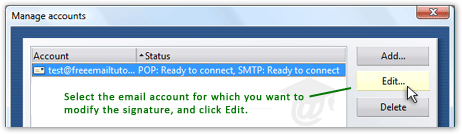
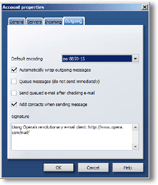 The Account Properties dialog will open for the email account you selected; click the Outgoing tab.
 Near the bottom, under the Signature label, there is a text box; simply type in your desired email signature. (Opera Mail does not support HTML signature, but will insert new lines where you put them; just break your signature in lines as you want it to appear to your email recipients.)
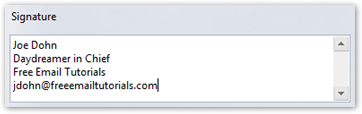
From now on, Opera Mail will append a double hyphen (--) at the end of your outgoing emails, and your signature on the line below.
If you have setup several email accounts, Opera Mail will allow you one signature for each of them; simply repeat the procedure described above.
FAQ 1: The Double Hyphens ("--") in Opera Mail's Signature
You cannot remove the double hyphens that appear above your email signature in Opera Mail. Inserting a double hyphen before the signature is a standard that Opera follows.

FAQ 2: HTML Email Signature in Opera Mail
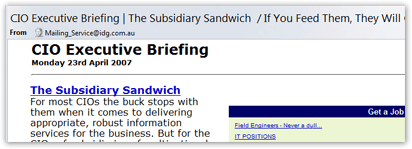
Opera does not currently support HTML email signatures; (Opera 9.2 is the current version at the time of this writing.) Opera does not currently support composing HTML emails, but it supports receiving and displaying HTML emails. Below, an HTML email in Opera Mail:
Judging by the amount of requests over the years for outgoing HTML email support, the feature may well be added to a future version of Opera Mail.