SeaMonkey Mail Tutorial
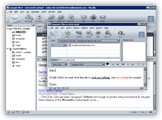 SeaMonkey Mail (formerly "Mozilla Mail") is the email application from the open-source Mozilla Internet Suite, which include a browser, an HTML editor and an IRC client program. "Open-source" means that the source code behind the applications is available over the web to any programmer who wishes to shape the future development of the Mozilla Suite. Open-source also means that SeaMonkey Mail (and the Mozilla Suite) is absolutely free: no advertisements or annoying pop-ups: It's just free!
SeaMonkey Mail is extremely close in functionality to its cousin, Thunderbird, created by the commercial arm of the Mozilla Foundation, Mozilla.com. (Unlike Thunderbird, SeaMonkey Mail isn't a standalone email application, and only comes bundled with the Mozilla Suite, now forked into a separate group called the SeaMonkey Project - alive and regularly updated!)
| Made By | Mozilla Foundation |
|---|---|
| Price | Free (Bundled with the Mozilla Suite) |
| Software Type | Freeware (What is Freeware?) |
| Product Home Page | SeaMonkey-Project.org 
|
Getting Your Copy of SeaMonkey Mail
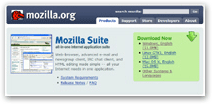 Point your browser to the Mozilla website, and choose the version of Mozilla that corresponds to your operating system: The download button automatically matches your platform (Windows, Linux, Mac OS X, etc.) and your current language settings, but you can download SeaMonkey for any of the other supported platforms by clicking on the "Other Systems and Languages" link on the download page.
Note: Mozilla has created a separate website for the SeaMonkey project, which includes SeaMonkey Mail and the web browser. Find the download links and more at SeaMonkey-Project.org.