Email a spreadsheet / workbook from Excel 2007
 As with earlier versions of Microsoft Office, Office 2007's emailing functionality is optimized for Outlook 2007. This does not mean, however, that you need to have Outlook 2007 (or earlier version) to be able to email your Excel documents.
While emailing documents using another email program works in a very similar way, this tutorial will assume that Outlook 2007 is installed on your computer, and that it is set as Windows' default email client.
Sending Documents as Email Attachment from Excel 2007
By default, the email command available in Excel 2007 is limited to the one emailing your current Excel spreadsheet as an attachment. In a later tutorial, you will learn how to send Excel documents inline, i.e. with the Excel spreadsheet's content as the body of your email.
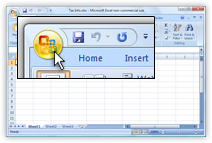 Click Excel 2007's Office Button to open the "File menu."
There are no longer menus to speak of in Microsoft Office 2007; the menu opened by the Office button (or Alt+F) corresponds to the File menu in previous versions of Microsoft Office, like Office 2003.
The new interface component that supersedes menus in Office 2007 is called "The Ribbon" — a series of horizontal, task-oriented tabs at the top of many Office 2007 applications. Notable exceptions include Outlook, OneNote, and Publisher.
 The Send command on Excel's Office menu opens a submenu, which contains items varying with the software installed on your computer. Both E-mail and Internet Fax should be visible by default, regardless of software on your computer.
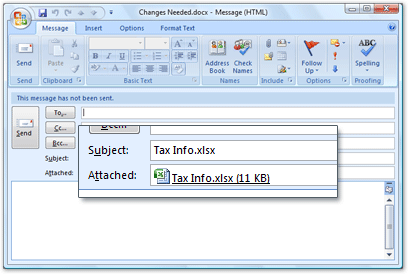
 Click the E-mail command on the submenu, and a blank email will open, with your Excel spreadsheet as attachment. Outlook 2007 will use the document name as your email's subject line.
Excel 2007 will email as attachment a copy of your document as it currently is, and not email the document as it was when you last saved it.
To email you Excel spreadsheets faster in the future, use the keyboard shortcut below; press and hold the Alt key, and type each letter successively.
Alt+F,D,E Email Attached Excel Spreadsheet